Free feature
Multitrack timeline editing
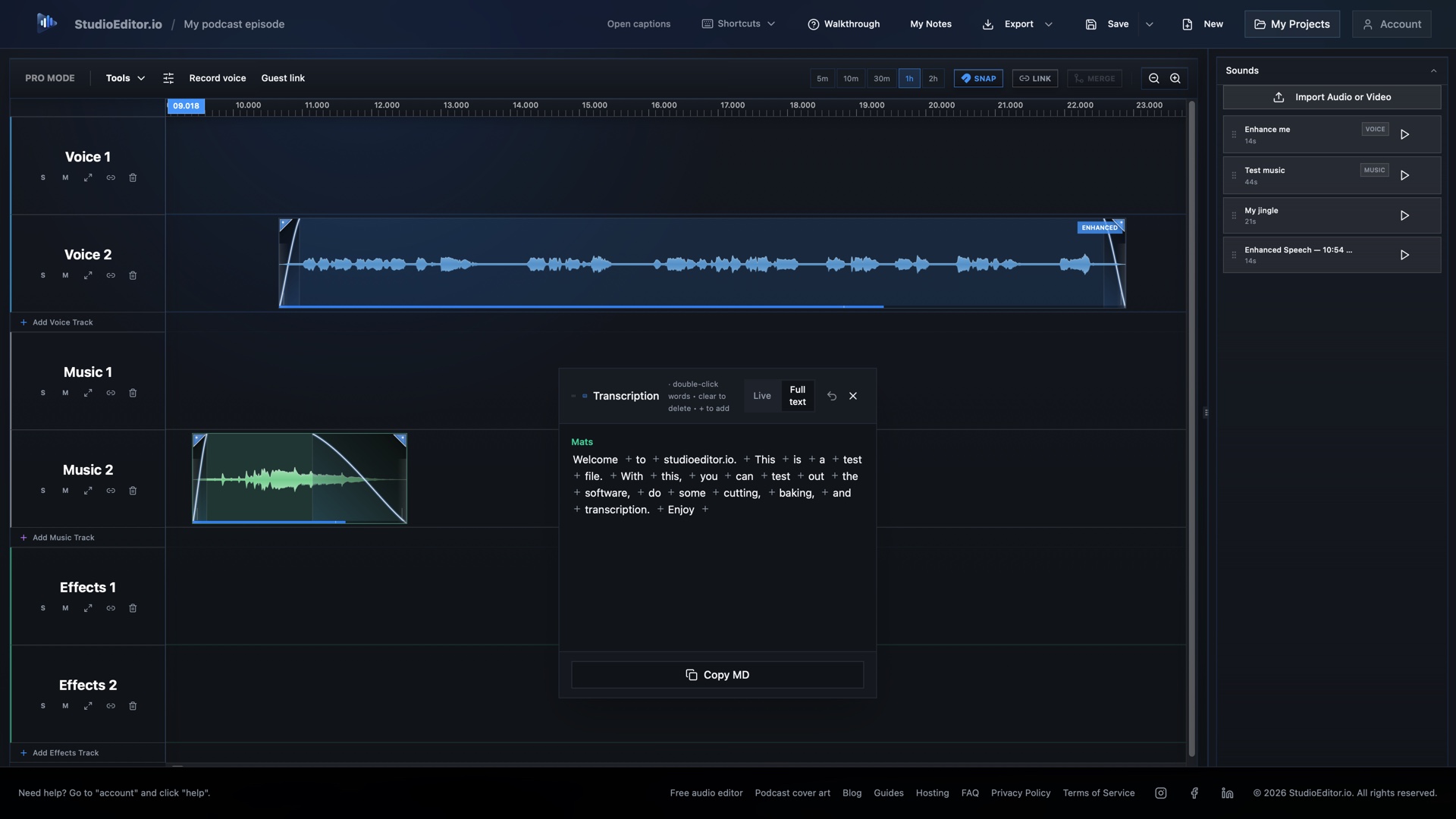
Arrange speech, music and sound effects on a visual waveform timeline with track controls, clip trimming and precise placement.
What it helps you do
- See speech, music and sound effects as separate waveform clips.
- Trim, split, move, mute and adjust clips without leaving the browser.
- Keep manual editing available without spending credits.
How the workflow works
- Import or record audio and place each source on the appropriate track.
- Trim, split and arrange clips while listening through the timeline.
- Balance the mix, check transitions and export the finished episode.
Multitrack timeline editing FAQ
Is multitrack timeline editing free?
Yes. Manual multitrack editing is part of StudioEditor’s free core workspace.
What can I place on the timeline?
You can arrange speech, music and sound-effect media as separate clips and tracks.
Do timeline edits change the original recording?
Timeline editing works with project clips, allowing you to arrange the episode while keeping the source media available to the project.