Video Podcast Editor · Coming soon
Linked video and audio timeline editing
Arrange video angles and their linked audio on a shared multitrack timeline so picture and sound move, trim and split together until you explicitly unlink them.
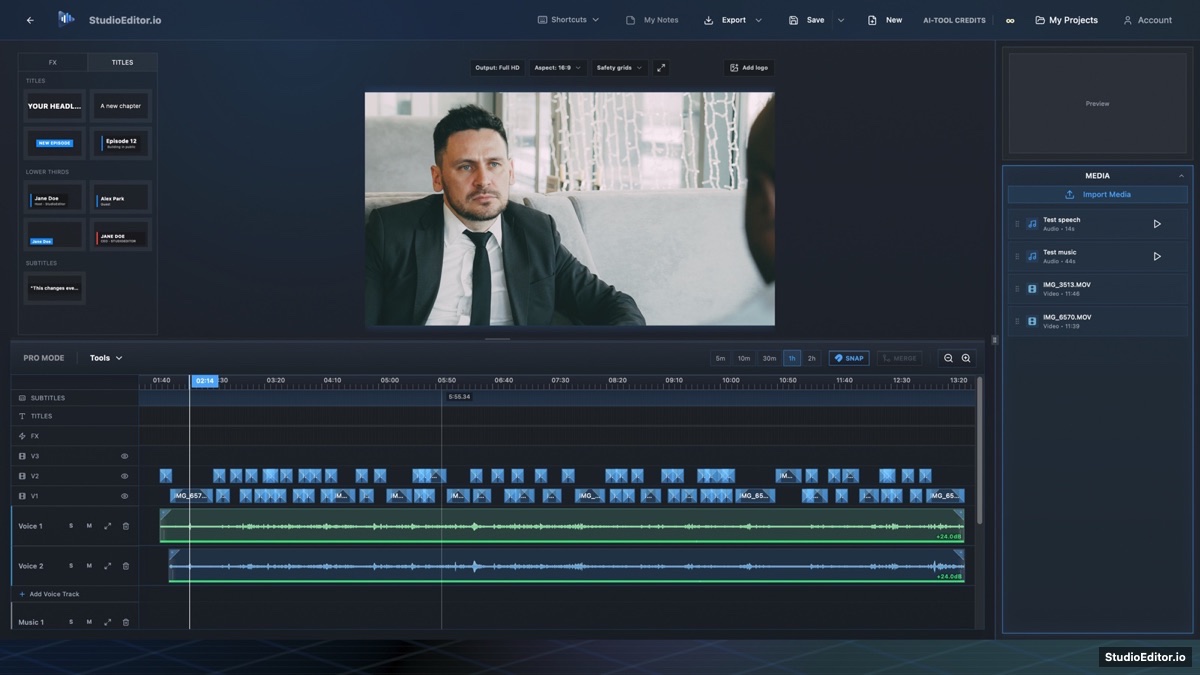
What it helps you do
- Keep each camera clip attached to its recorded audio during ordinary edits.
- Move, trim and split picture and sound together without rebuilding synchronization.
- Unlink a source intentionally when a separate picture or audio edit is needed.
How the workflow works
- Import video media and place it at the intended timeline position.
- Arrange, trim or split the linked video and audio while reviewing the preview.
- Right-click and unlink only when picture and sound need independent treatment.
Linked video and audio timeline editing FAQ
Does imported video stay linked to its audio?
Yes. Video and its source audio remain linked by default until the editor explicitly unlinks them.
Can media be dropped later in the timeline?
Yes. Imported clips are placed at the chosen drop position instead of being forced to the timeline beginning.
Is the Video Podcast Editor available now?
The Video Podcast Editor is coming soon. You can join the notification list from the StudioEditor homepage.