Video Podcast Editor · Coming soon
Speaker AutoCut
Align participant recordings from their audio and build a first-pass multicamera edit that switches the visible camera according to who is speaking.
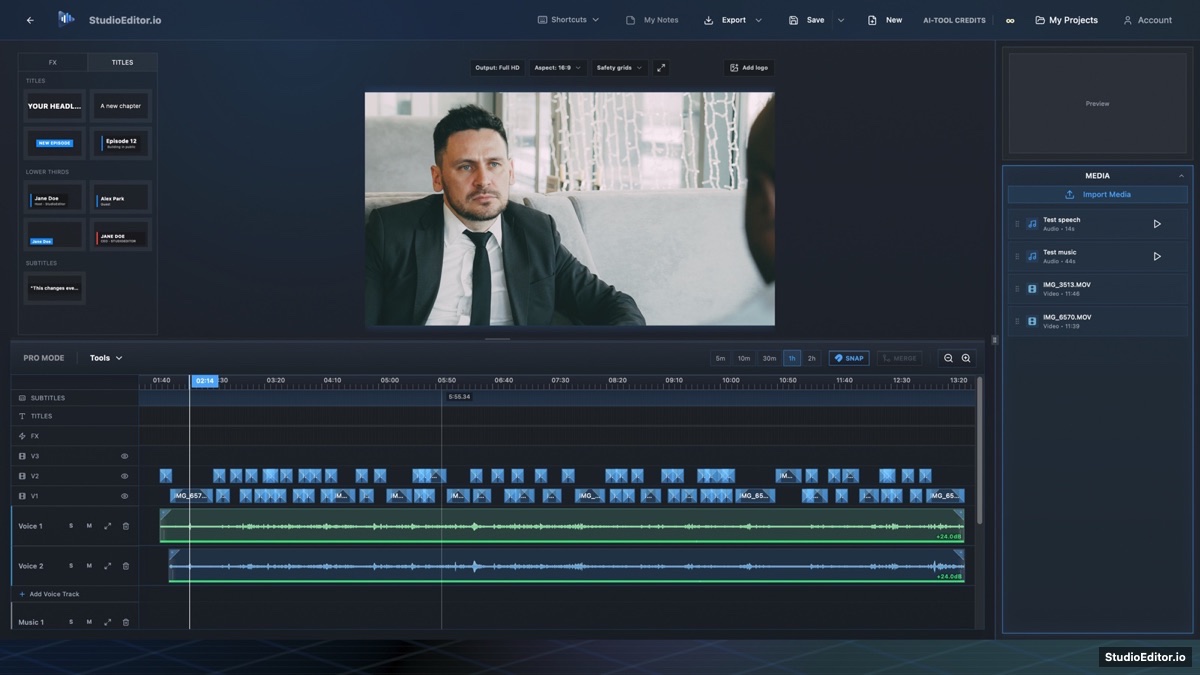
What it helps you do
- Synchronize separate participant recordings from their audio timing.
- Create a first-pass active-speaker camera edit automatically.
- Keep every generated cut editable on the video timeline.
How the workflow works
- Import at least two participant videos with usable speech audio.
- Run Speaker AutoCut to align sources and analyze who is speaking.
- Review the generated camera sequence and refine any transition manually.
Speaker AutoCut FAQ
Does Speaker AutoCut use credits?
No. The planned synchronization and speech-gate analysis run locally without credits.
Can I change an automatic camera cut?
Yes. AutoCut creates ordinary editable timeline clips that can be trimmed, moved or replaced.
What media does AutoCut need?
It needs multiple participant videos with audible speech that can be compared and aligned.